📶
Live signal scan
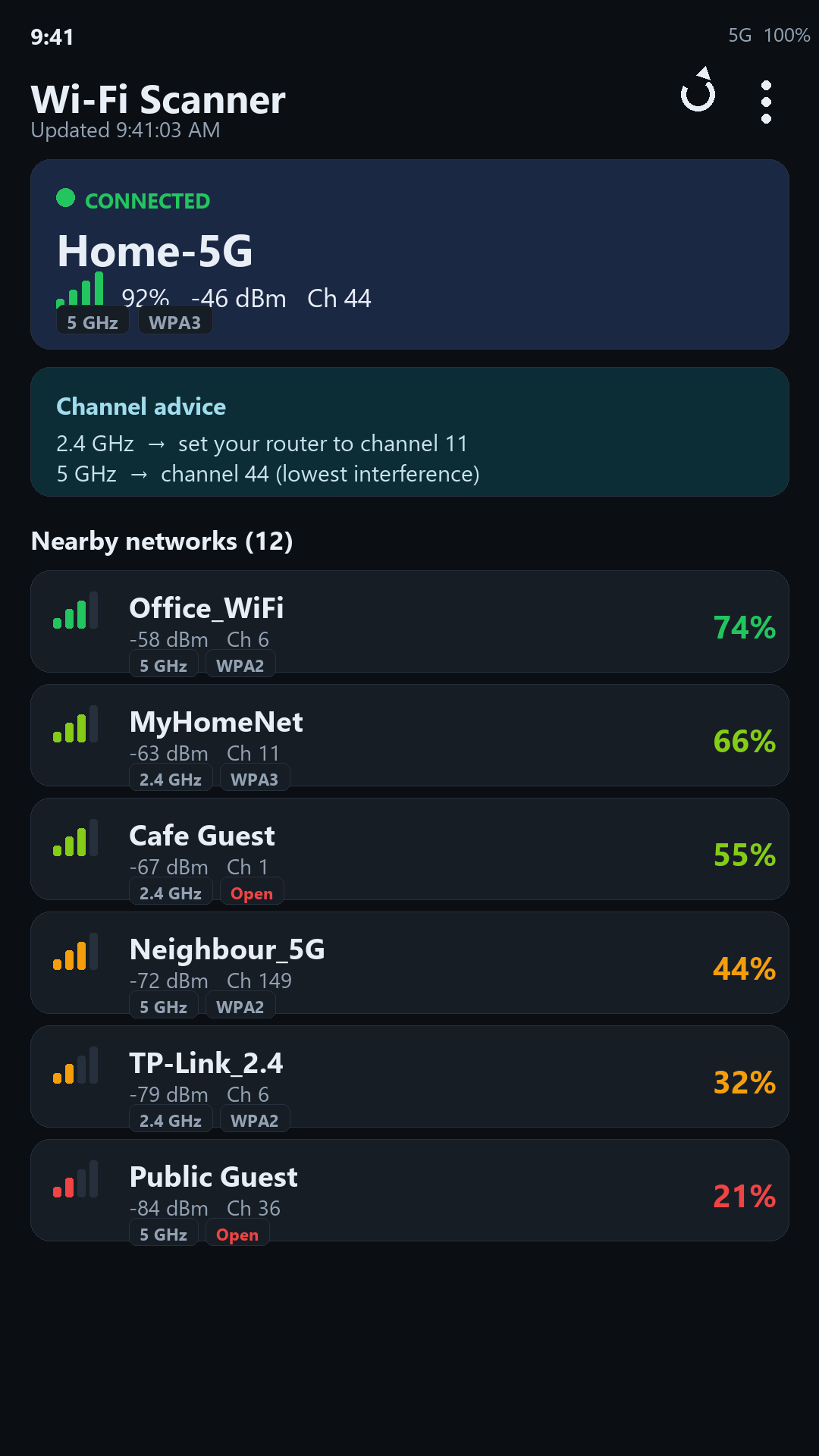
Every nearby network sorted by strength, with colour-coded bars, dBm, channel and band at a glance.
A fast, private Wi-Fi analyzer. Check signal, security and channels, map dead zones, and pick the least-congested channel for your router.
Scan results stay on your device — nothing is uploaded.
Every nearby network sorted by strength, with colour-coded bars, dBm, channel and band at a glance.
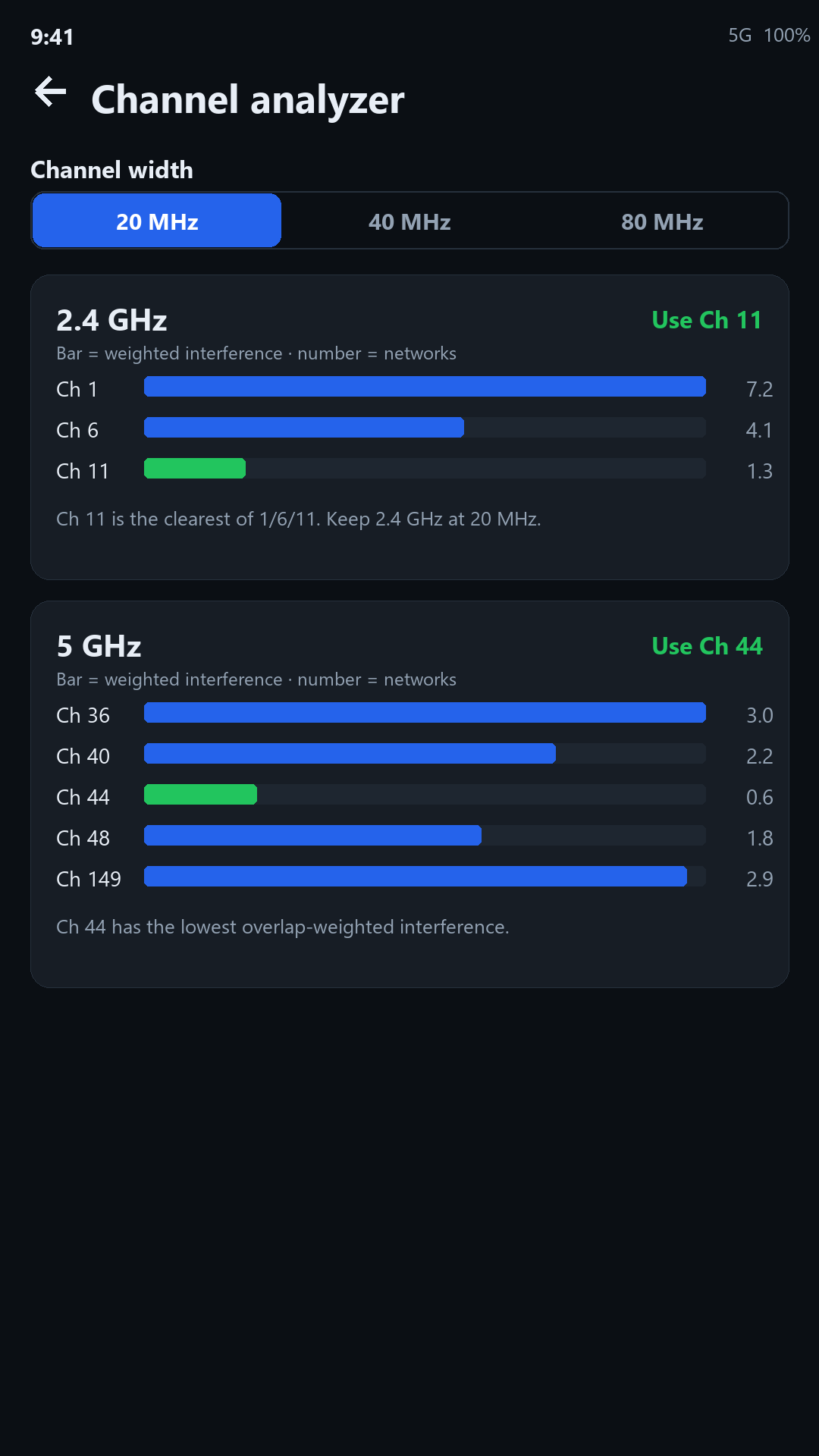
Real RF scoring — overlap and signal-weighted — recommends the clearest channel (1/6/11 on 2.4 GHz, best on 5 GHz) at 20/40/80 MHz.
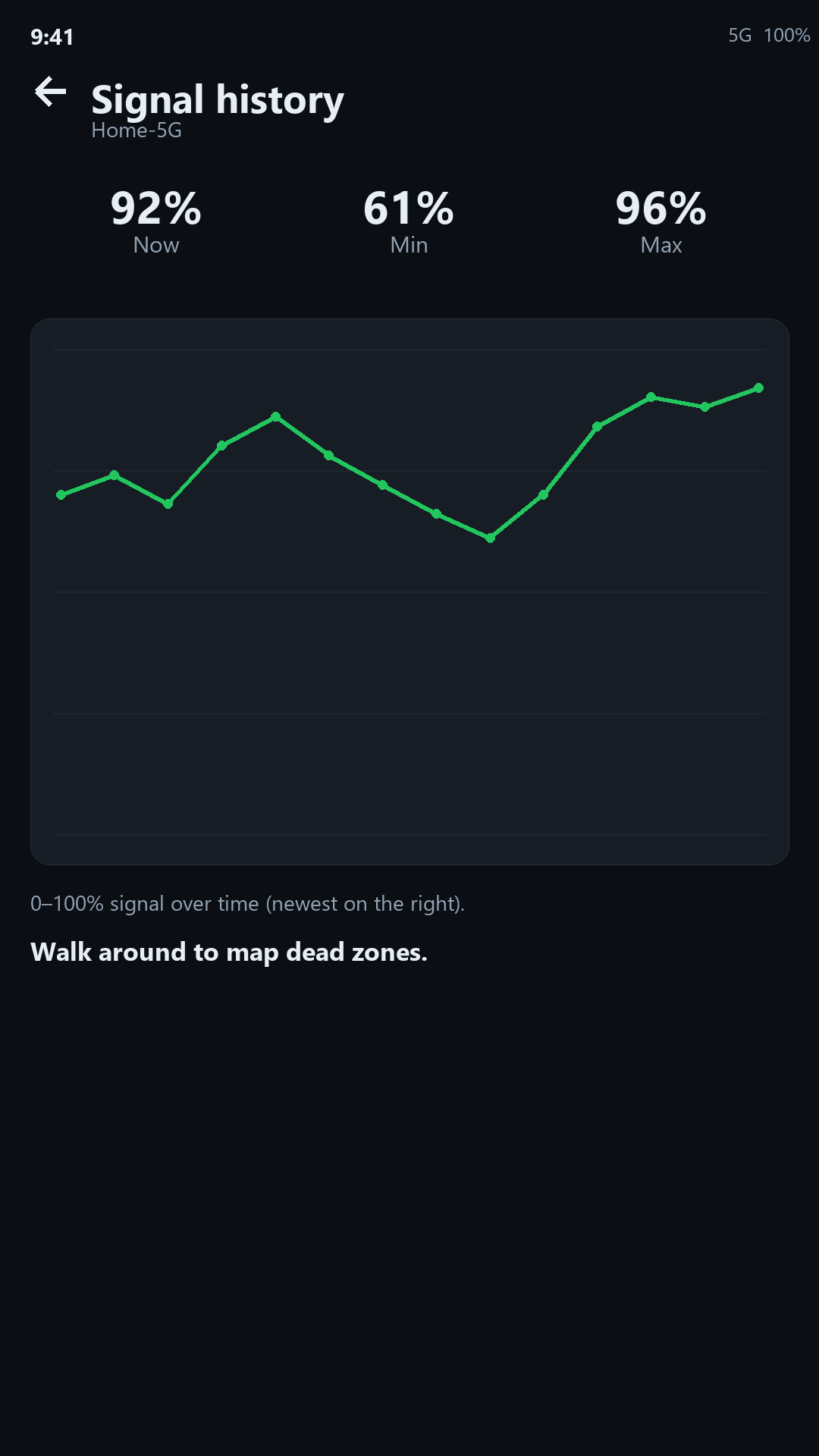
Watch signal over time as you walk around to find and fix dead zones in your home or office.
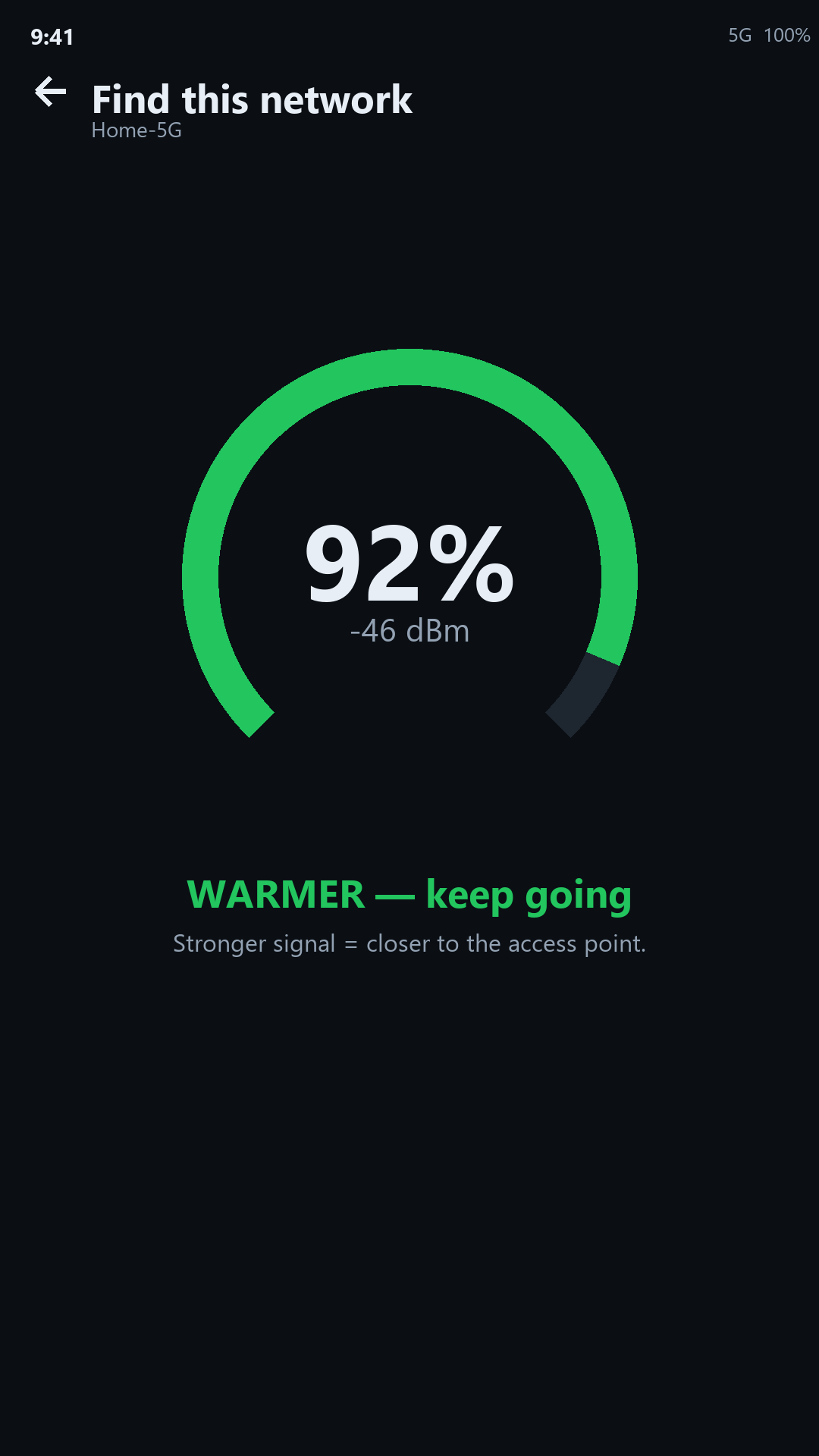
A live “warmer / colder” radar that gets stronger as you move toward the access point.
See Open / WPA2 / WPA3 security and 2.4 / 5 / 6 GHz bands, with open networks flagged.
Get notified when a new network appears, one disappears, or your signal drops — even in the background.
Share or save a full scan as a CSV for reports, site surveys or troubleshooting.
A clean, modern Material 3 interface that adapts to your system theme.
No account, no sign-in, no server. Your scan results never leave your device.
Slow Wi-Fi is often caused by neighbours’ networks overlapping yours. Wi-Fi Scanner measures the real interference on each channel and tells you exactly where to move your router.
Only channels 1, 6 and 11 don’t overlap. The app scores each and picks the clearest — and warns you off the “in-between” channels that cause the worst interference.
More room, but bonded 40/80 MHz channels overlap each other. The width selector shows how your clear-channel options shrink as you go wider.
A strong neighbour hurts far more than a distant one, so the score weights every overlap by its signal — not just a raw count of networks.
Download Wi-Fi Scanner free and find your clearest channel in seconds.
Get it on Google PlayOpen the Channel Analyzer. It scores every candidate channel by how much nearby networks overlap it, weighted by their signal strength, and recommends the clearest one — channels 1, 6 or 11 on 2.4 GHz, and the least-contested channel on 5 GHz.
No. Android requires location permission to list Wi-Fi networks, but scan results stay on your device and are never uploaded. The app has no account and no server.
It’s an Android platform rule: since Android 9, any app that reads Wi-Fi scan results must hold location permission with Location services on. The app only uses it to obtain the network list.
Android 7.0 (Nougat) or newer.
Yes. The app is free with ads. An optional one-time Pro purchase removes ads and unlocks extra tools, and background monitoring is available as a subscription.